What a Good Podcast Script Needs
A podcast script does not have to read like a stage play. For most shows, the goal is a structured speaking guide: clear enough to keep the episode focused, natural enough to sound human.
A strong starter script usually includes:
- A short hook in the first 10-20 seconds
- A one-sentence promise for the episode
- 3-5 main points or segments
- Smooth transitions between sections
- A concise closing with a next step
If you are still planning the show itself, start with How to Start a Podcast. If you are working with no budget, How to Start a Podcast for Free covers the lean version of the setup.
How to Start a Podcast Script in PoddyHost
1. Create or open your podcast
Start from your PoddyHost dashboard and choose the podcast you want to work on. If you have more than one show, confirm you are using the right topic and narrator before generating an episode.
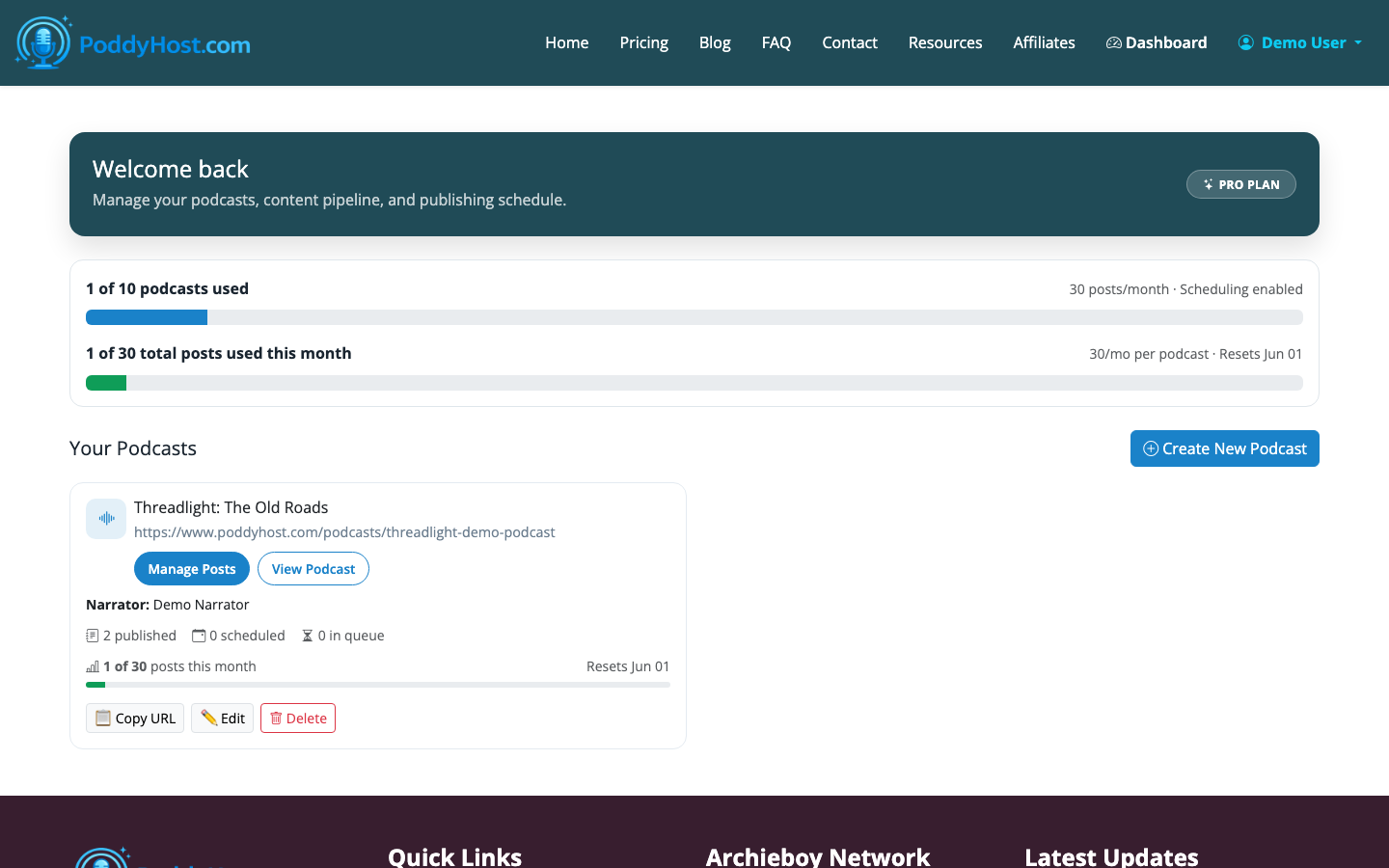
Your podcast settings matter because they shape the script: a business news show needs a different pace than a meditation podcast, and a solo educational format needs a different structure than a conversational recap.
2. Choose a focused episode topic
A good podcast script starts with one specific idea, not a broad category. Instead of “marketing tips,” use something like “five ways local service businesses can get more reviews.” Instead of “AI tools,” use “how creators can use AI to outline a weekly podcast.”
In PoddyHost, your topic and keyword pool guide the AI script. Use keywords as direction, not stuffing. The script should sound like a useful episode, not a list of search terms.
3. Pick the right narrator voice
PoddyHost uses a per-podcast AI narrator voice, so the same show can keep a consistent sound from episode to episode. Listen to voice samples before committing, especially if the topic needs authority, warmth, energy, or calm.
The voice affects how the script lands. A fast, upbeat narrator can carry shorter sentences and tighter transitions. A calmer voice works better with slower pacing, more pauses, and reflective phrasing.
4. Start with a simple script outline
Before generating the full episode, think in sections. A reliable structure is:
- Hook: Name the problem or surprising point.
- Promise: Tell the listener what they will get.
- Context: Explain why the topic matters.
- Main points: Cover 3-5 useful ideas.
- Recap: Summarize the takeaway.
- Close: Give the listener a next step.
For example, an episode about launching a local business podcast could start like this:
- Hook: Most local business podcasts fail because they start too broad.
- Promise: This episode shows how to choose a narrow topic that can sustain weekly episodes.
- Point 1: Define the audience.
- Point 2: Choose repeatable episode formats.
- Point 3: Use customer questions as source material.
- Close: Generate your first three episode ideas before recording anything.
This is enough structure for PoddyHost to create a coherent draft without over-constraining the narration.
5. Generate the episode script and audio
Once your topic, narrator, and podcast settings are ready, generate the episode. PoddyHost writes the script, narrates it, and moves the episode through statuses such as queued, generating, published, or failed.
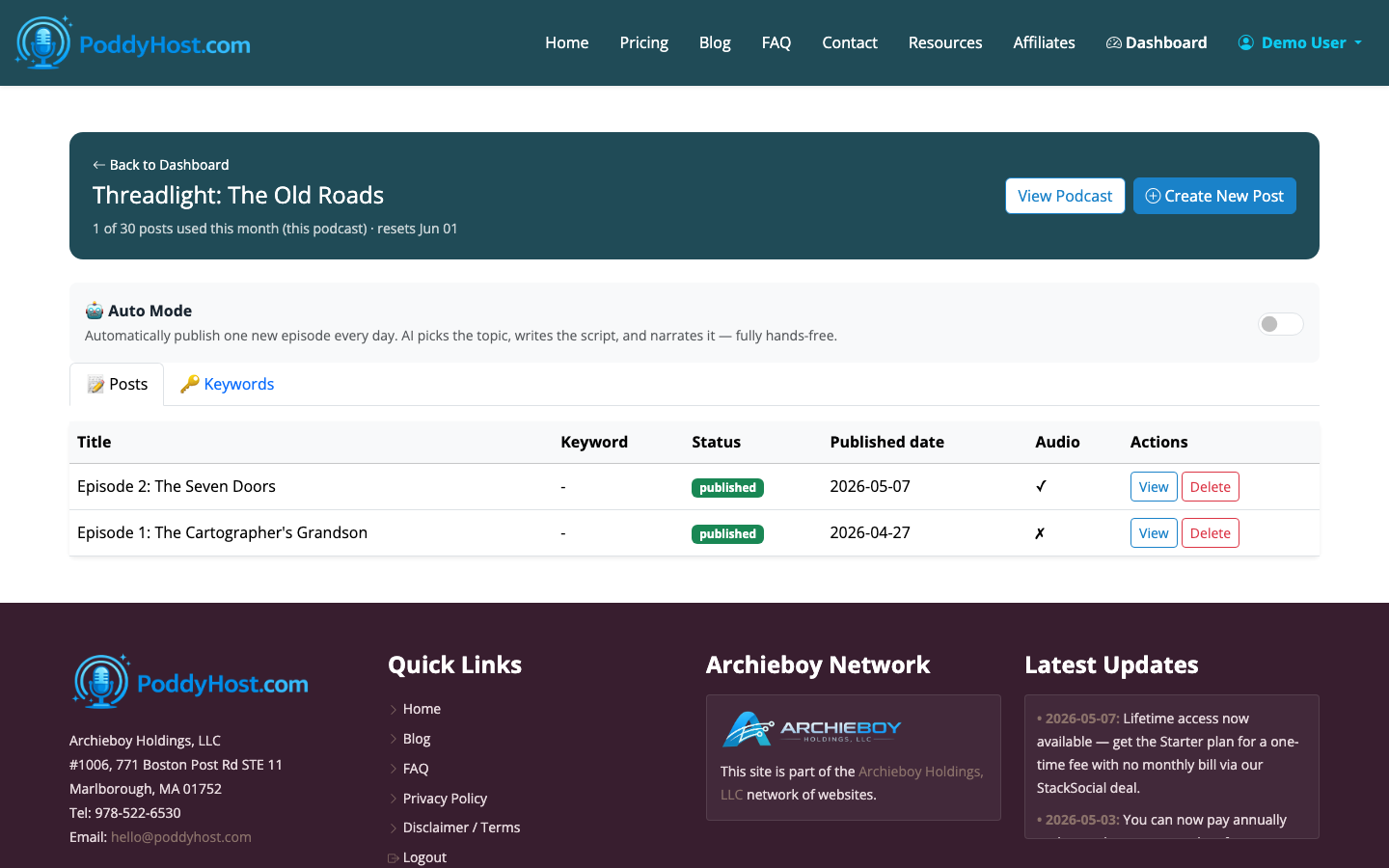
Review the episode list after generation. If the result is too broad, regenerate with a narrower topic. If it sounds too formal, revise the topic prompt toward the style you want: practical, conversational, skeptical, beginner-friendly, or story-driven.
6. Add sponsor or ad text only where it fits
PoddyHost can inject ad or sponsor text into episodes. Use this carefully when you are still learning how to start a podcast script, because ads can break the flow if they appear before the listener understands the episode’s value.
For most short episodes, place sponsor copy after the opening promise or near the midpoint. Keep it brief: 15-30 seconds is usually enough for a simple mention.
7. Publish and review the public episode page
After the episode is published, check the public podcast page. This is where listeners can find published episodes, access the RSS feed, and use the Spotify submission link when available.
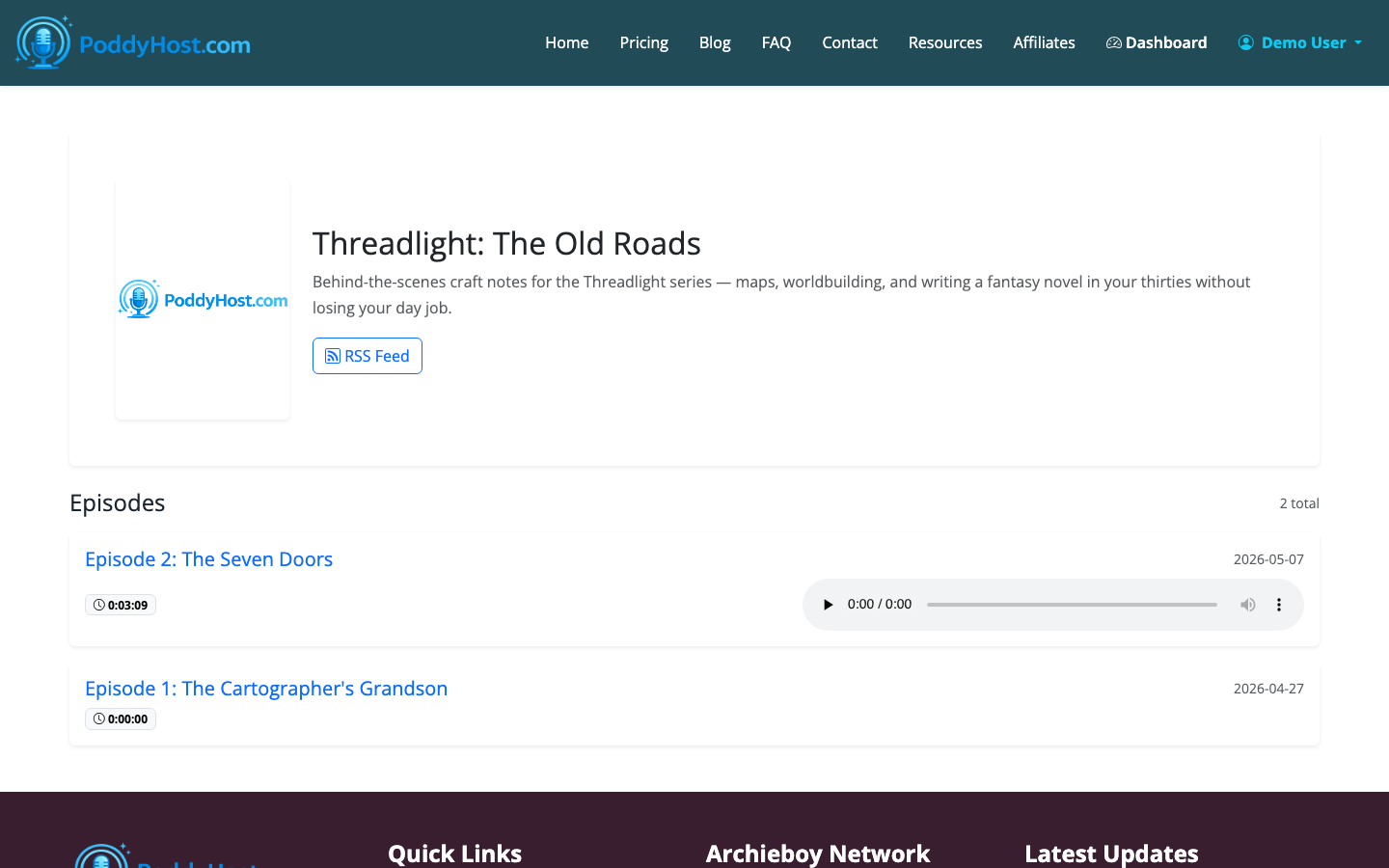
Use the published version as feedback for the next script. Notice where the intro feels slow, where a transition is missing, or where the ending could be more direct. The second and third scripts usually improve quickly once you hear the show as a listener would.
A Starter Podcast Script Template
Use this structure when you are unsure what to give PoddyHost:
Opening
Start with the listener’s problem, question, or goal. Keep it direct.
Example: “If you want to start a podcast but keep getting stuck on what to say first, this episode will give you a simple script structure you can reuse.”
Episode Promise
Tell the listener what they will learn.
Example: “By the end, you will know how to open the episode, organize the main points, and close without sounding scripted.”
Main Sections
Choose three useful points. Three is often enough for a 5-10 minute episode. Longer episodes can use five sections, but more than that can feel scattered unless the show is highly structured.
Closing
Recap the practical takeaway and point the listener to the next action. That might be subscribing, visiting a resource, generating the next episode, or listening to a related episode.
Common Mistakes to Avoid
The first mistake is starting with a long welcome. New listeners do not yet care about housekeeping. Give them a reason to stay before you mention updates, links, or background.
The second mistake is writing for the page instead of the ear. Long sentences, dense lists, and repeated clauses can look fine in text but sound stiff in audio.
The third mistake is trying to cover everything. A focused 7-minute episode is usually more useful than a 25-minute episode that never makes a clear point.
For a broader beginner workflow, see How to Start a Podcast for Beginners.
Keep exploring
See how AI-driven creativity looks in practice with AI Branding Content, or read the tighter breakdown in Podcast Episode Structure: The Proven Formula That Keeps Listeners Engaged.
