What you need before you start
Before you create your podcast, decide on three basics:
- A clear topic, such as local business tips, book summaries, daily sports commentary, niche history, or product education
- A publishing rhythm, such as weekly episodes or one short episode per day
- A listener promise, meaning what someone gets every time they press play
You do not need a microphone, editing software, or a finished trailer to begin with PoddyHost. The platform can write scripts, narrate episodes, generate or accept cover art, host MP3 files, and provide the RSS feed used by podcast directories.
1. Choose how you want to create the podcast
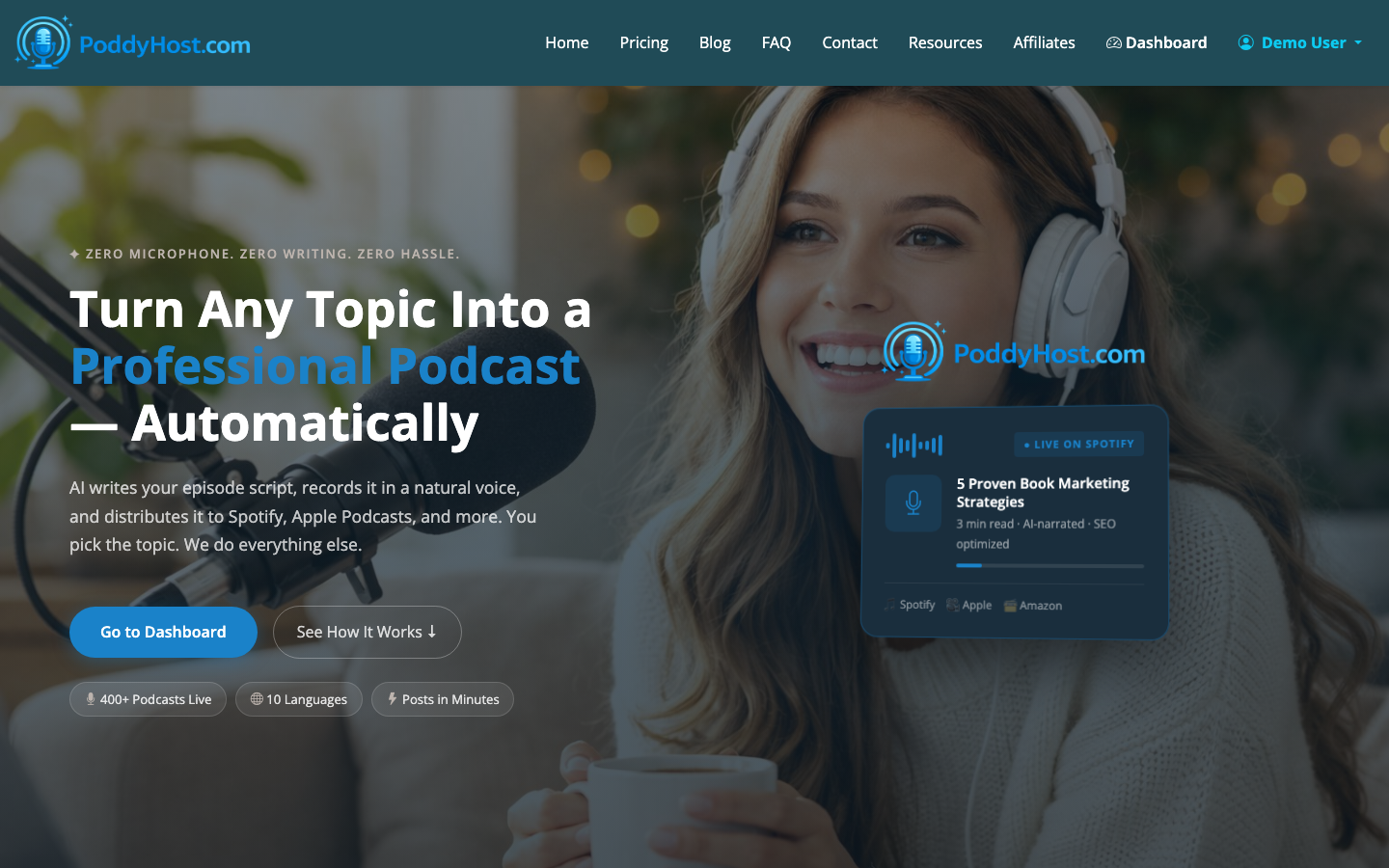
Go to PoddyHost and review the basic workflow: create the show, choose the AI narrator voice, add cover art, generate episodes, then distribute through RSS.
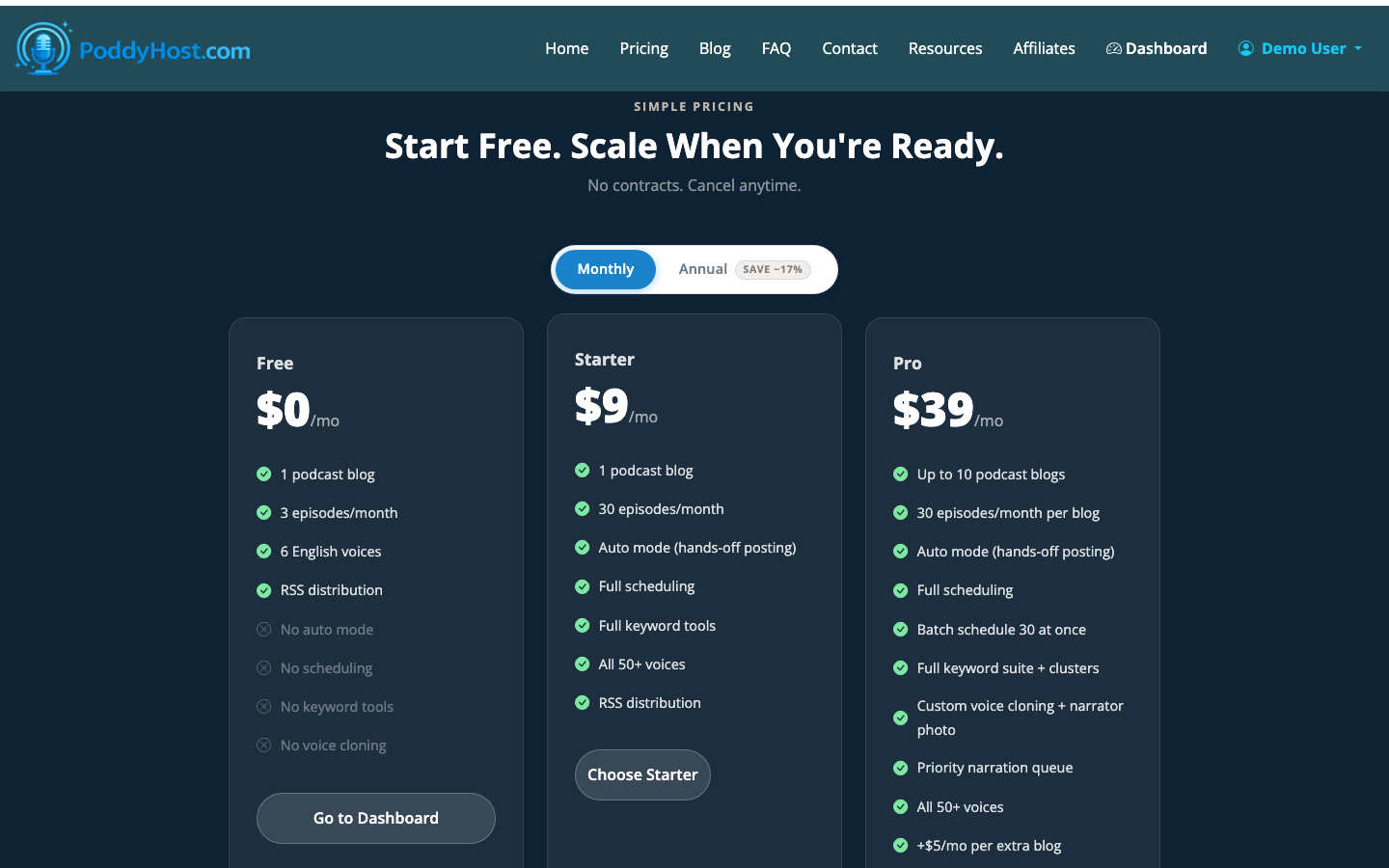
If you are comparing costs, check the plan options before you build the show. The Free plan is useful for testing the workflow, Starter works for many solo creators, and Pro is a better fit when you need more serious production volume. There is also a StackSocial lifetime Starter option for eligible buyers.
For a broader no-budget path, see How to Start a Podcast for Free. If you are brand new to the format, How to Start a Podcast for Beginners covers the beginner decisions in more detail.
2. Create your podcast in the dashboard
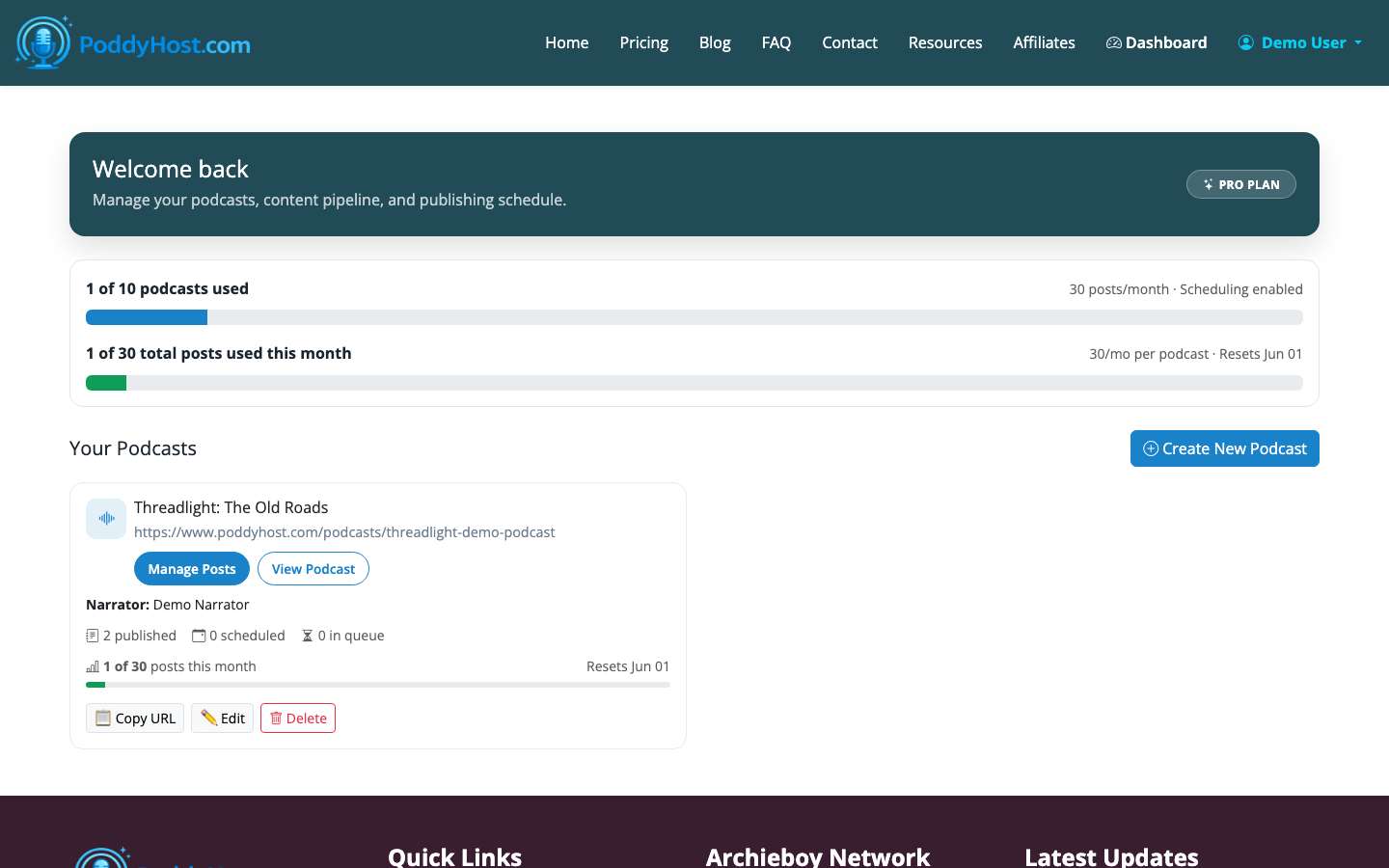
After signing in, open your dashboard. This is where your podcasts live, including their episode counts, status, Auto Mode setting, and quick actions.
Create a new podcast and fill in the core show details:
- Podcast name
- Topic or description
- Category or niche
- Narrator voice
- Cover art choice
- Publishing mode
This is the point where “how do I create a podcast?” becomes practical: you are defining the show container that all future episodes will belong to. The name and topic should be specific enough that a listener understands the value without reading a long description.
3. Pick an AI narrator voice
PoddyHost lets you choose a per-podcast AI narrator voice from its narrator library, including sample audio. Listen to a few options before committing. The voice should match the show’s job.
For example:
- Use a calm, steady voice for educational or finance topics
- Use a more energetic voice for entertainment, sports, or daily commentary
- Use a warmer voice for author, wellness, or coaching shows
The tradeoff is consistency versus experimentation. A consistent narrator helps the show feel recognizable. Changing voices too often can make the feed feel less coherent, especially once subscribers are used to the sound.
4. Add your topic keywords and episode direction
PoddyHost can use a topic-keyword pool with AI suggestions to shape future episodes. This is useful when you want the show to stay focused without manually briefing every script from scratch.
Good keyword pools mix broad themes with specific prompts. For a podcast about indie publishing, you might include:
- Kindle launch strategy
- Book cover mistakes
- Email list growth
- Author websites
- Audiobook promotion
For a local business podcast, you might include:
- Google Business Profile
- Customer reviews
- Seasonal promotions
- Local SEO
- Hiring and retention
This step matters because podcast creation is not just audio generation. The topic system gives the AI enough boundaries to produce episodes that sound like they belong in the same show.
5. Generate your first episode
Once your podcast is set up, generate a first episode manually. This gives you a controlled test before using Auto Mode.
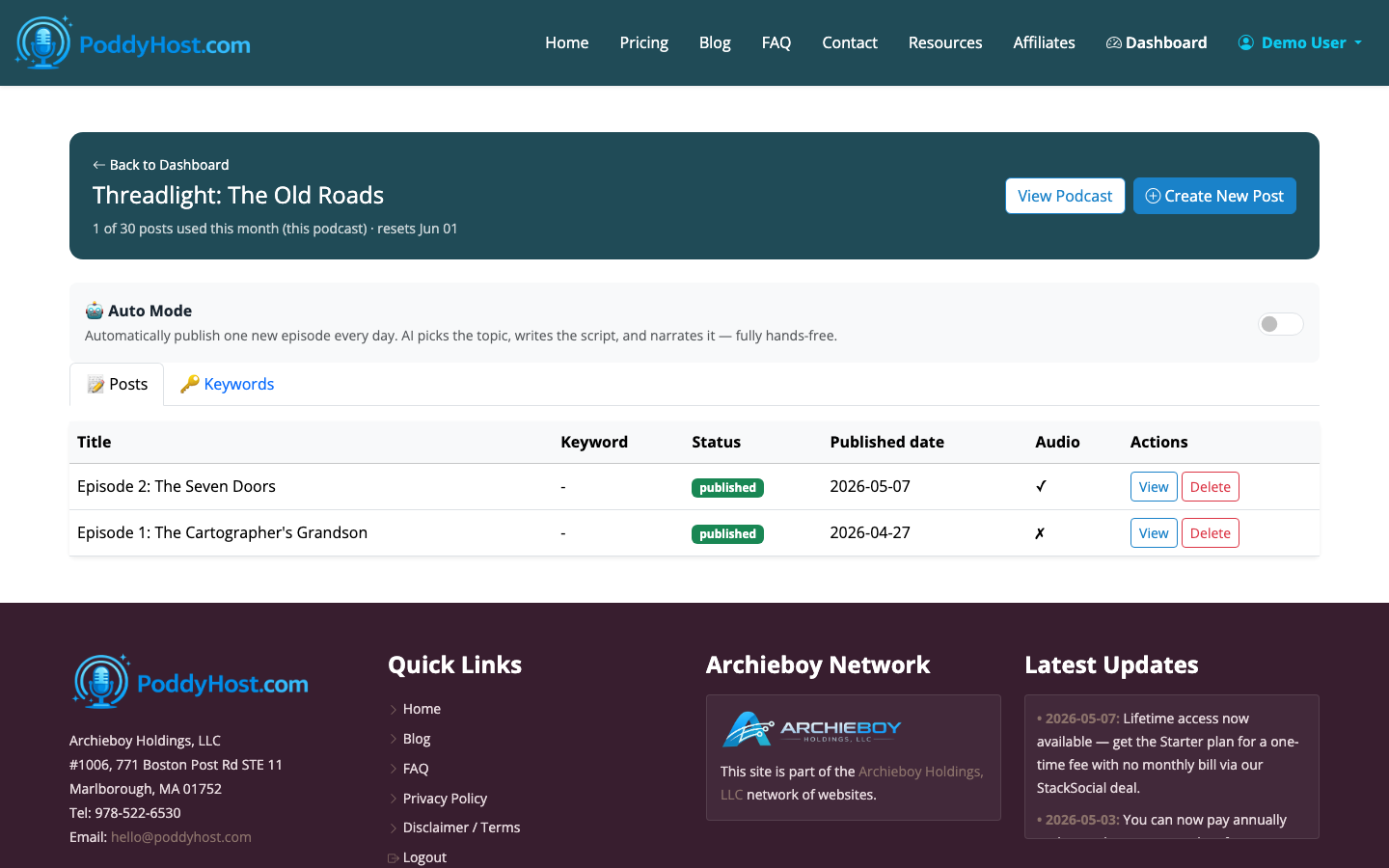
Open the podcast’s episode list to review each episode’s status. PoddyHost shows whether an episode is queued, generating, published, or failed, and gives you actions such as edit, delete, or regenerate.
For your first episode, keep the topic simple. A short introductory episode can work, but a useful standalone topic is often better. Instead of “Welcome to the show,” try “Three mistakes new Etsy sellers make in their first month.” That gives listeners value immediately.
6. Review, regenerate, or download the MP3
After generation, review the episode before promoting it. Check for:
- Topic accuracy
- Clear beginning, middle, and ending
- Repetition
- Brand or sponsor text placement
- Pronunciation issues in names or technical terms
- Episode length that matches your listener’s expectations
If the episode is not right, regenerate it or edit the setup. If it is ready, you can use the hosted version in your feed and download the MP3 when needed.
Sponsor text can also be injected into episodes, which is useful for recurring calls to action. Keep sponsor copy short. A 15- to 30-second message usually feels better than a long interruption, especially in short AI-narrated episodes.
7. Publish your podcast page and RSS feed
When episodes are published, your public podcast page lists the available episodes and includes the RSS feed. The RSS feed is the technical link directories use to read your show title, artwork, description, and episode files.
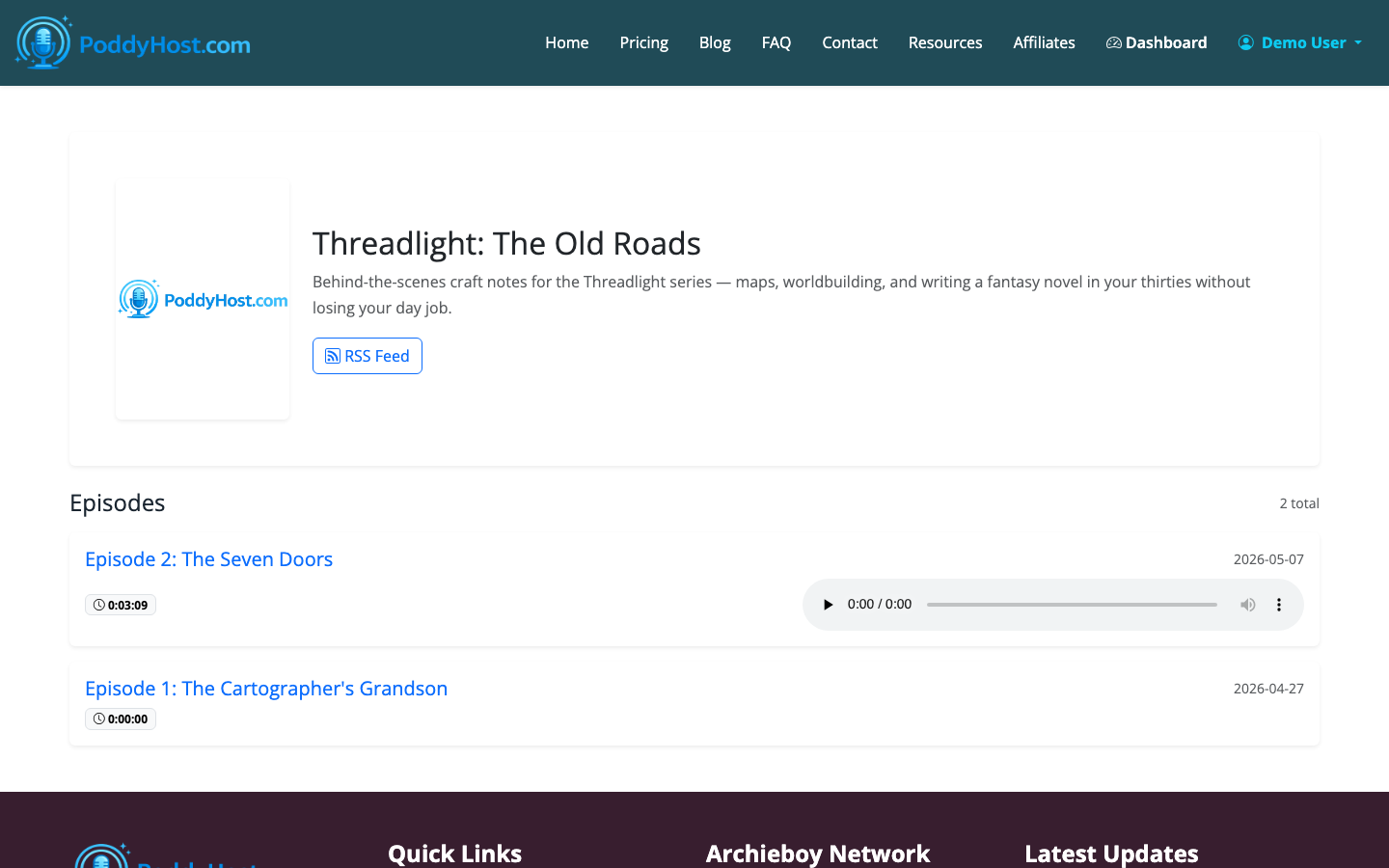
PoddyHost also pushes RSS information to Podcast Index automatically. For major listening apps, you may still need to submit or connect the feed depending on the directory.
If Spotify is your main priority, read How to Upload a Podcast to Spotify after your first episode is published.
8. Submit to podcast directories
To set up a podcast for listeners, you need distribution. PoddyHost supports RSS distribution to directories such as Spotify, Apple Podcasts, Amazon Music, and others.
In practice, this means:
- Your podcast needs at least one published episode
- Your cover art and show description should be complete
- Your RSS feed must be available
- Each directory may have its own review or approval process
Spotify is usually the quickest path because PoddyHost includes one-click Spotify submission. Apple Podcasts can take longer because Apple may review show details before listing it.
9. Turn on Auto Mode if you want daily publishing
Once you have tested the first episode and trust the setup, you can use Auto Mode. Auto Mode publishes one new episode per day hands-off, based on the podcast’s topic and keyword direction.
This is helpful for daily news-style shows, evergreen educational feeds, niche commentary, or content experiments where consistency matters. The tradeoff is oversight. Automation saves time, but you should still review the public feed regularly to make sure the topic quality stays on track.
A good operating rhythm is:
- Review the first three to five generated episodes closely
- Adjust topic keywords if the episodes feel too broad
- Check the public podcast page weekly
- Refresh sponsor text or calls to action when offers change
10. Improve the show after launch
Publishing is the start, not the finish. After the show is live, improve one variable at a time:
- Make episode titles more specific
- Shorten intros if listeners need faster value
- Add better keywords for future episode generation
- Test a different cover if the show looks unclear at small size
- Submit to more directories after Spotify is working
The simplest answer to “how do you make a podcast?” is: create a repeatable system. PoddyHost handles much of the production and hosting work, but your topic focus, positioning, and review habits still determine whether the show feels worth subscribing to.
