What “recording a podcast” means now
When people ask “how do I record a podcast?”, they usually mean one of two things:
- Recording their own voice with a microphone
- Creating finished podcast audio without manually recording every word
PoddyHost is built for the second path. You choose the podcast topic, narrator voice, cover art, and episode direction. The platform writes the episode script, narrates it with an AI voice, creates an MP3, and publishes it through an RSS feed.
That makes it useful for solo creators, authors, educators, niche publishers, and businesses that want consistent audio content without scheduling studio time.
How to record a podcast with PoddyHost
1. Decide what the podcast is about
Before you create anything, define the show in one sentence. A clear topic helps the AI generate tighter scripts and helps listeners understand why they should subscribe.
Good podcast topics are specific enough to guide episodes but broad enough to sustain many installments. For example:
- “Weekly summaries of practical AI tools for small business owners”
- “Short history stories for commuters”
- “Daily book marketing tips for self-published authors”
- “Beginner-friendly explanations of personal finance concepts”
If you are still shaping the overall show, start with How to Start a Podcast before recording your first episode.
2. Create your podcast in PoddyHost
From your dashboard, create a new podcast and add the basic show details: name, description, topic, voice, and cover art. This is the foundation PoddyHost uses when generating episodes.
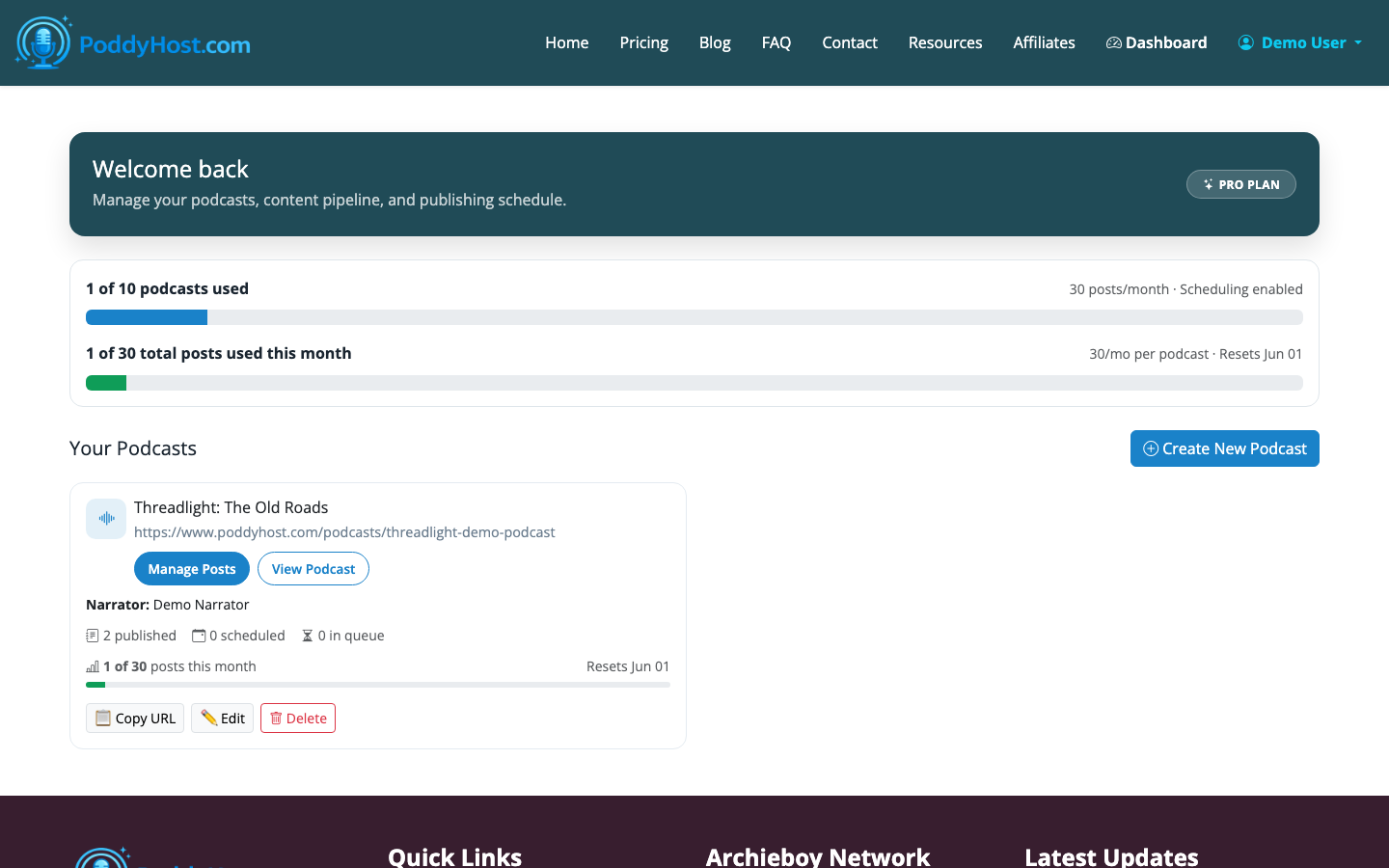
The dashboard also shows your existing podcasts, episode counts, publishing status, and Auto Mode controls. If you plan to run more than one show, use names and descriptions that make each podcast easy to recognize later.
3. Choose an AI narrator voice
PoddyHost lets each podcast use its own AI narrator voice from the HCWF narrator library. Listen to samples before choosing, because voice style changes the feel of the entire show.
For most informational podcasts, choose a voice that sounds steady, clear, and easy to listen to for 5 to 15 minutes. Highly dramatic voices can be useful for fiction, storytelling, or branded shows, but they may feel distracting for practical how-to content.
You can think of the narrator as part of your format. A calm voice suits educational episodes. A more energetic voice can work for news-style updates. A warmer voice may fit author, wellness, or coaching content.
4. Add or generate cover art
Podcast directories display cover art prominently, so upload a polished square image or generate one with AI. Aim for simple, readable artwork that still makes sense at thumbnail size.
A few practical rules:
- Use a square image
- Keep text short, ideally the podcast name only
- Avoid tiny subtitles
- Use high contrast between text and background
- Make sure the title is readable on mobile
If you are starting with no budget, see How to Start a Podcast for Free for a lean setup path.
5. Generate your first episode
Once the podcast is set up, create an episode topic. PoddyHost can write the script and narrate it into a finished MP3. You can generate episodes manually when you want control, or use Auto Mode when you want the system to publish one new episode per day.
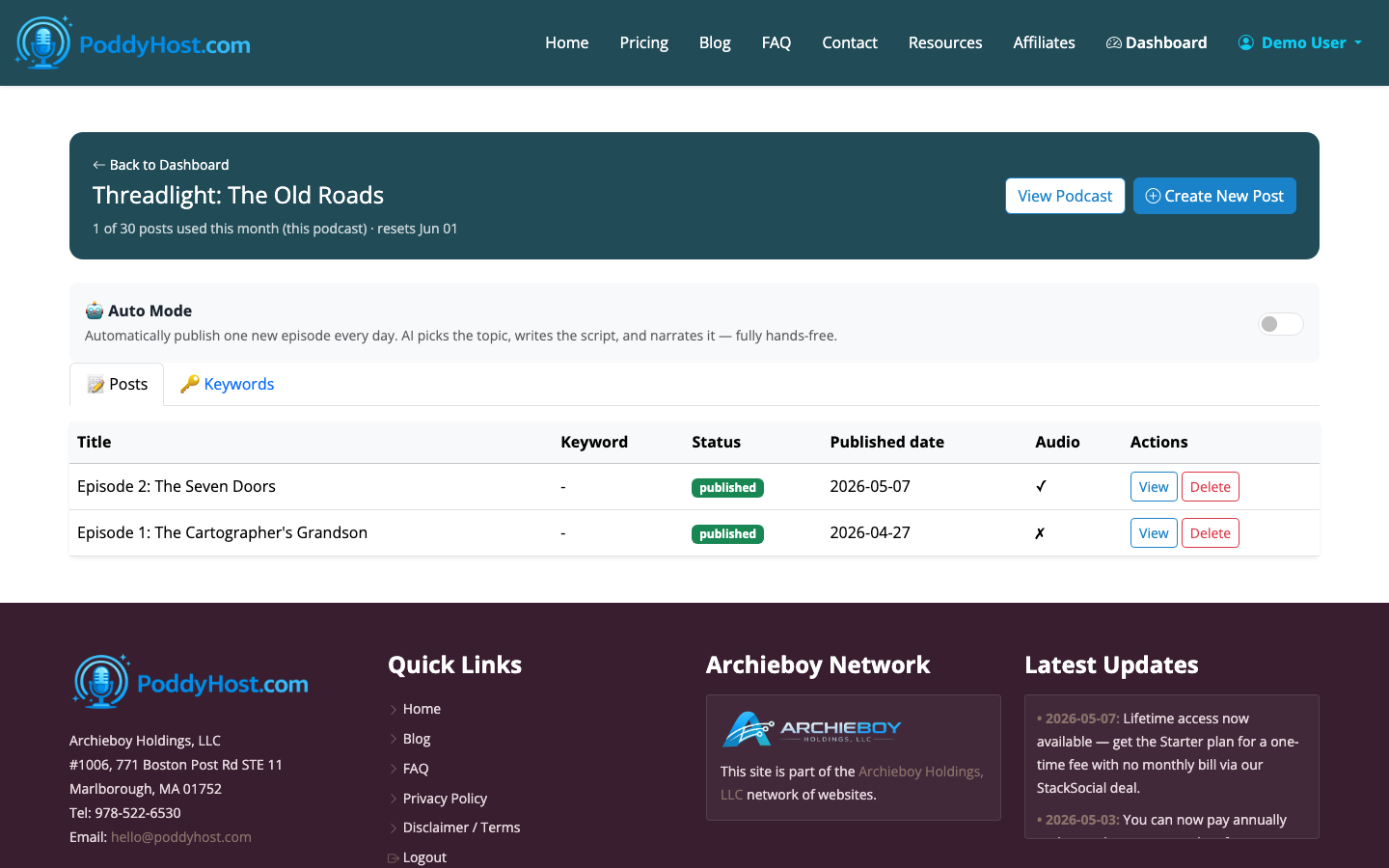
On the episodes page, you can see whether each episode is queued, generating, published, or failed. You can also edit, delete, or regenerate episodes when needed.
A strong first episode topic is narrow and concrete. Instead of “Marketing,” try “5 ways local service businesses can get more customer reviews.” Instead of “History of Rome,” try “Why Roman roads changed trade across Europe.”
6. Review the finished MP3
After generation finishes, listen to the episode before sending people to it. Check for three things:
- Does the episode answer the promised topic?
- Does the narration sound natural enough for your audience?
- Are there any awkward sections you should regenerate or revise?
You do not need to chase studio-level perfection for every episode, especially if your show is designed for frequent publishing. But you should make sure each episode is useful, coherent, and free of obvious mistakes.
If you include sponsor or ad text, keep it short and clearly separated from the main content. PoddyHost can inject sponsor text into episodes, which is useful for recurring promotions or calls to action.
7. Publish and share your podcast feed
When an episode is published, PoddyHost makes it available through your public podcast page and RSS feed. The RSS feed is what podcast directories use to fetch your show details and episodes.
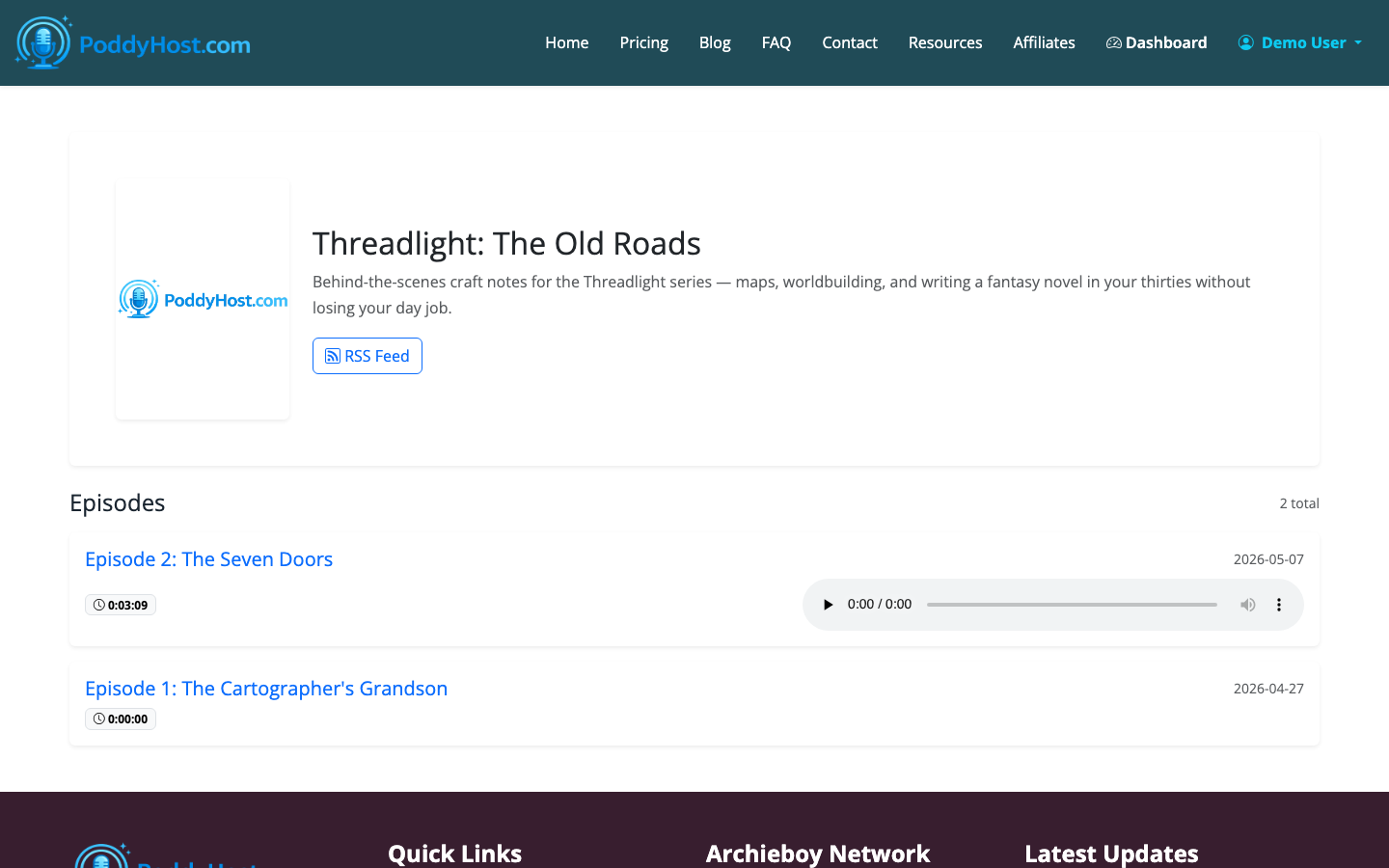
Your public podcast page lists published episodes, includes the RSS feed, and provides a Spotify submission link. PoddyHost also pushes RSS feeds to Podcast Index automatically.
For broader distribution, submit your feed to major directories such as Spotify, Apple Podcasts, and Amazon Music. Once approved, future episodes can flow through the same RSS feed without re-uploading each MP3 manually.
Can you still record your own voice?
Yes. If your show depends on personality, interviews, live reactions, or a recognizable host, traditional voice recording may be the better fit.
A basic home setup usually includes:
- A USB microphone in the $60 to $150 range
- A quiet room with soft furnishings
- Headphones to prevent echo
- Recording software such as Audacity, GarageBand, Riverside, or Descript
- Podcast hosting with RSS distribution
The tradeoff is time. A 20-minute spoken episode can easily take 60 to 120 minutes to record, edit, export, upload, and publish. AI generation compresses that workflow, especially for repeatable informational formats.
How long should your first podcast episode be?
For most new shows, start with 5 to 12 minutes. That is long enough to deliver a complete idea but short enough to produce consistently.
Longer episodes can work when you have interviews, deep research, or a loyal audience. But for a new podcast, consistency matters more than length. Ten useful 8-minute episodes usually teach you more than one overproduced 60-minute launch episode.
A simple first-episode structure
If you are unsure what to generate, use this structure:
- State the problem or question in the first 20 seconds
- Explain why it matters
- Give 3 to 5 practical points
- Add one example or scenario
- Close with a clear takeaway
For example, an episode called “How to Choose Your First Podcast Topic” might cover audience, specificity, repeatability, and what to avoid. That is enough for a focused beginner episode.
What to do after recording
After your first episode is live, create a simple publishing rhythm. Weekly is realistic for many creators. Daily can work well with PoddyHost Auto Mode if your topic pool is strong and the show format is repeatable.
Watch which episode titles are easiest to promote and which topics feel most useful. Podcast growth usually comes from a clear promise, consistent publishing, and episodes that solve real listener problems.
If you are completely new to the process, How to Start a Podcast for Beginners walks through the broader setup decisions before you scale up production.
